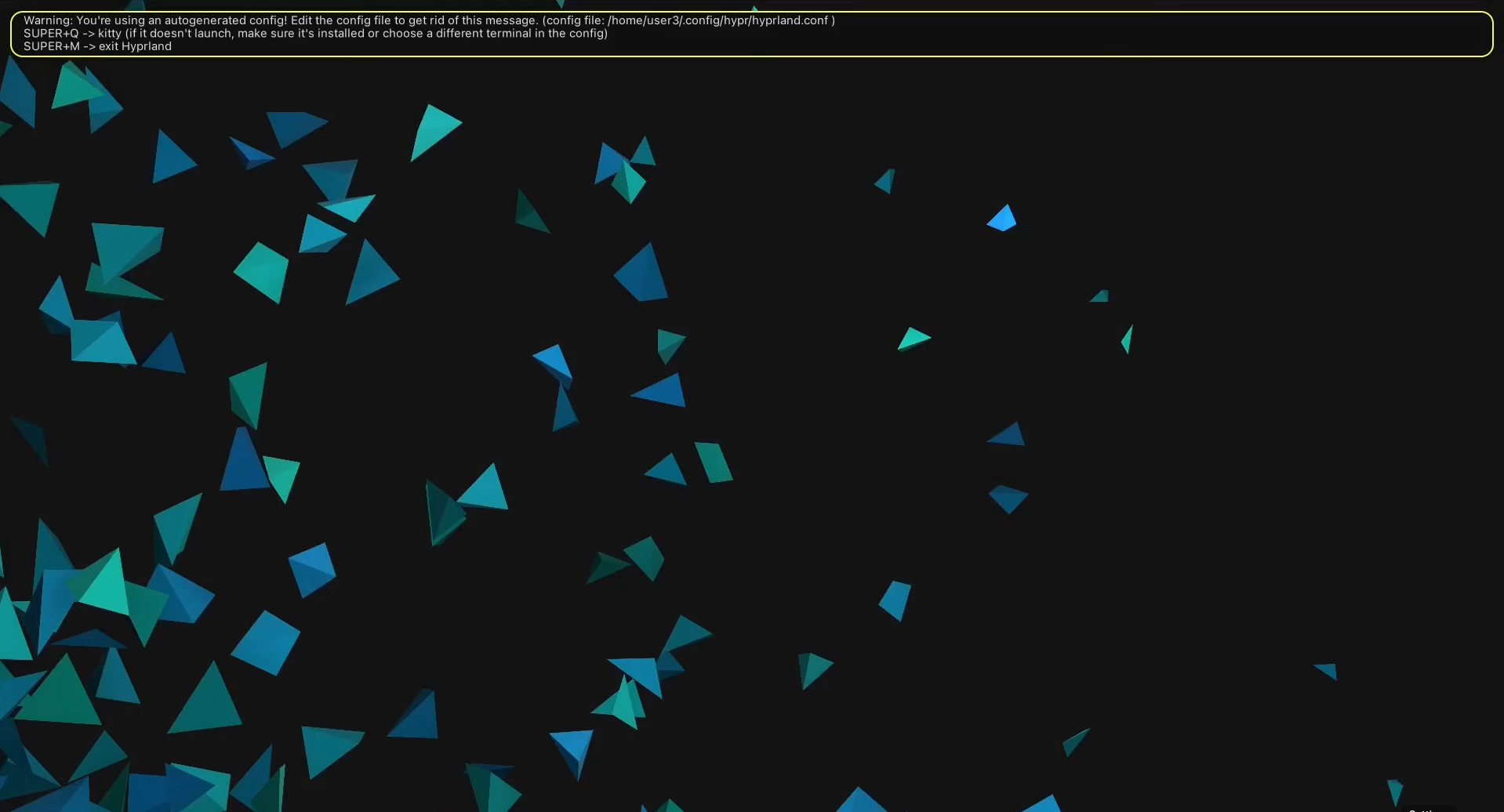
I finally booted into my Linux system after a long road of waiting and swapping hard drives. The first thing it showed me was a sentence: “J remue le ciel, le jour, la nuit.” No taskbar, no apps, just a terminal hint and an empty screen. I later learned it means “I move the sky, the day, and the night.” Whether it was a warning or motivation, it definitely added to the mystery.
The Gears
Before getting into the setup and the distro itself, here’s some context about my Tech.
- Dell Inspiron 16 2-in-1
- 1TB storage
- Intel i7-1360P (13th Gen, 16 cores)
- 16GB RAM
- 1920×1080 display
- Integrated Intel Iris Xe Graphics
- Mouse: HP M120
- Mousepad: Dyazo Worldap
- Headphones: Nirvana 751 ANC
- External SSD: EVM Elite 1TB (2000MB/s)
The First Step of the Journey
I was introduced to Linux through my Internship, where I worked on an open-source project which was built entirely on Linux. Before that, my only exposure came from the classic Ubuntu GNOME experience and using WSL(Windows Sub-System for Linux) on Windows, so naturally I asked my friend Chris(have heard him talk about linux far too much), how I should start with Linux, and he immediately said Arch Linux was the way to go. I did what anyone would do watched a YouTube installation guide and let’s just say I quickly realised I wasn’t ready to take on an Arch installation by myself.
So I went looking for something easier. I tried exploring Fedora and a few other distros, even dipped into some opinionated(pre-configured) ones like Omarchy and CachyOS, but the one that really caught my eye was Manjaro. It felt perfect for a minimal setup while still being practical. As soon as I had worked a little on my linux setup, I had fallen in love with it, I think Romeiro can vouch for me when I say this but it was all I could talk about. Now coming from a windows user the amount of control I had on my screen was mind boggling to me.
When it came to development, I always felt Linux was far ahead of Windows, the simplicity of installing and updating dependencies is on a different level. Soon I was wacthing youtube tutorials on how to select the best distro for you, which then led me to Interviews of the great Linus Torvalds. His whole approach to building software in a world where everyone is afraid of having their work copied was genuinely fascinating to me.
The Second Step of the Journey
And then came the Peak of my confidence(definetely not delusion), I had decided I am MAN enough to install Arch the hard way, so I opened up my phone to the docs and my other laptop to a installation guide and started following the steps biblically.
Then I reached the part where I had to choose a desktop environment. I had already tried XFCE4 and KDE Plasma, and GNOME never felt modern enough for me. While searching for options, I stumbled onto a video about a tiling window manager called Hyprland(absolutely mad to think it was a high-scoolers side project) and it was mesmerizing, clean, minimal, functional, and surprisingly beautiful. I knew I had to give it a shot, what I didnt know was it initially comes in a very primitive state and can be very intimidating to setup. By this point, I had already spent three to four hours configuring Arch itself, and now I had a choice: install a pre-configured Hyprland setup or go for something called ‘ricing,’ which basically means customizing every single detail manually.
And obviously I chose the ‘ricing’(wrong option in hindsight) so now I found a very minimal and the smallest youtube video I could find of 45 minutes on youtube, which was another fullfledged guide which took me another 3-4 hours to setup and with that I had my entire setup ready, which i realised was very in adequate(didnt have bluetooth toggle) so I picked a set of Dotfiles i really liked called Hyprland Dots and spent another hour installing and configuring it now I had spent my entire day working on installing it.
Then came the easy part - installing apps. With a single line in the terminal, I added my essentials: Zen as my browser, Spotify, VS Code, TickTick, Discord and a bunch of other tools I needed. After the chaos of configuring Arch and Hyprland, this part felt almost relaxing.
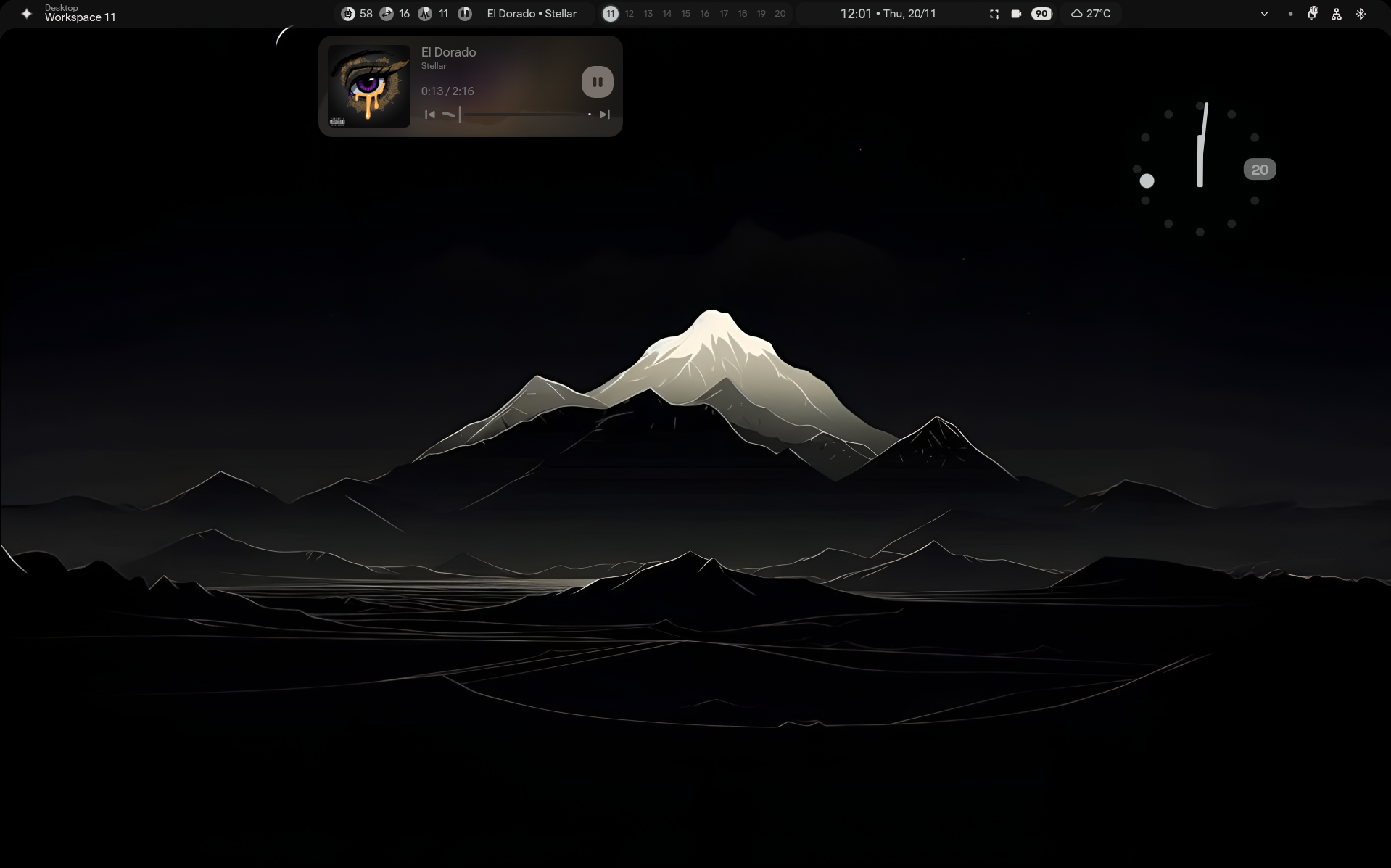
Wallpaper link: https://share.google/images/SoiMx8wPCtAm7pWFL
Conclusion
In the end, even though the entire process took hours of tinkering, breaking things, fixing them, and questioning my life choices, it was absolutely worth it. There’s something incredibly rewarding about watching a fully configured desktop come to life, not as something handed to you, but as something you built piece by piece. It’s work, obviously, but it’s the kind of work that makes the final result feel entirely your own.
And the journey isn’t over. Linux has a way of reminding you that there’s always more to learn, but i guess thats the fun of it all